
A Rule Builder that empowered a customer services team
Led design of a 0→1 internal tool that cut ArisGlobal's dependency on core engineering in half — lifting the services team's configuration self-sufficiency from 20% to 50% and accelerating customer onboarding.
- Role
- Associate Principal Product Designer
- Duration
- ~6 months
- Tools
- Figma, FigJam, Maze
- Company
- ArisGlobal
ArisGlobal builds software for the life sciences industry. They primarily target pharmaceutical companies and drug developers that need to manage clinical trial data, adverse event reporting, and regulatory compliance. ArisGlobal’s flagship product, LifeSphere Multivigilance (LSMV), has been on the market for over two decades. Part of that longevity came with liability.
Onboarding a new customer onto LSMV required extensive custom configuration in the form of writing custom Javascript rules that shaped how the application behaved for each organization's specific workflows. The problem was that the people closest to customers—the customer services team—weren't equipped to write those rules effectively. When they tried and got it wrong, client pilot environments broke. Software bugs surfaced in front of prospects. Deals stalled or fell through.
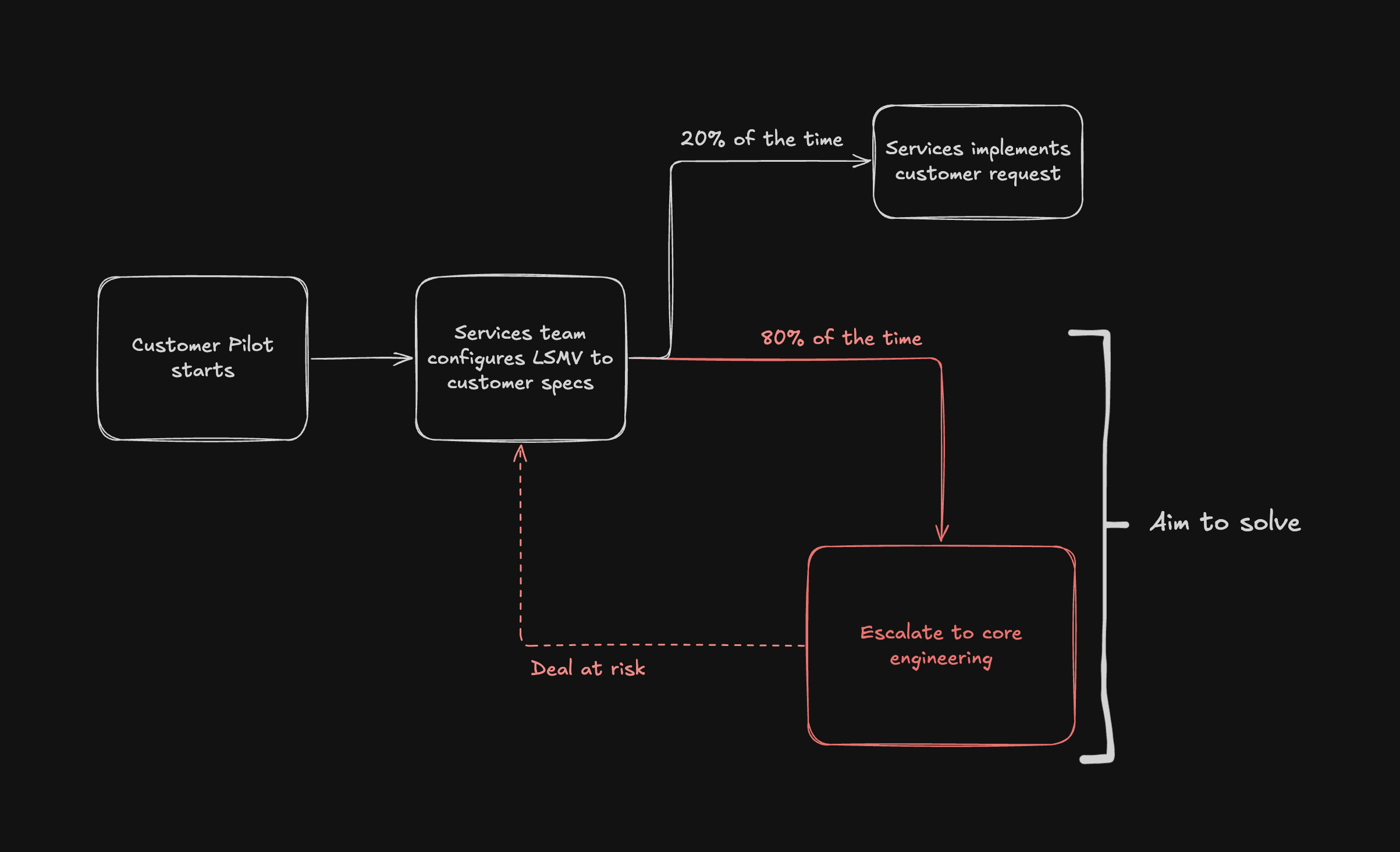
Before the LSMV Admin App, the services team estimated they were completing about 20% of customer configurations independently. The remaining 80% had to be escalated to our core engineering team who were already focused on building new product features, not babysitting onboarding configs.
Research First
I led design on this project as Associate Principal Product Designer, working alongside a user researcher and one other designer through the discovery phase. During the delivery phase of this project, I worked with a team of 10 engineers as the solo designer. Throughout the project, I worked closely with multiple product owners and a product manager.
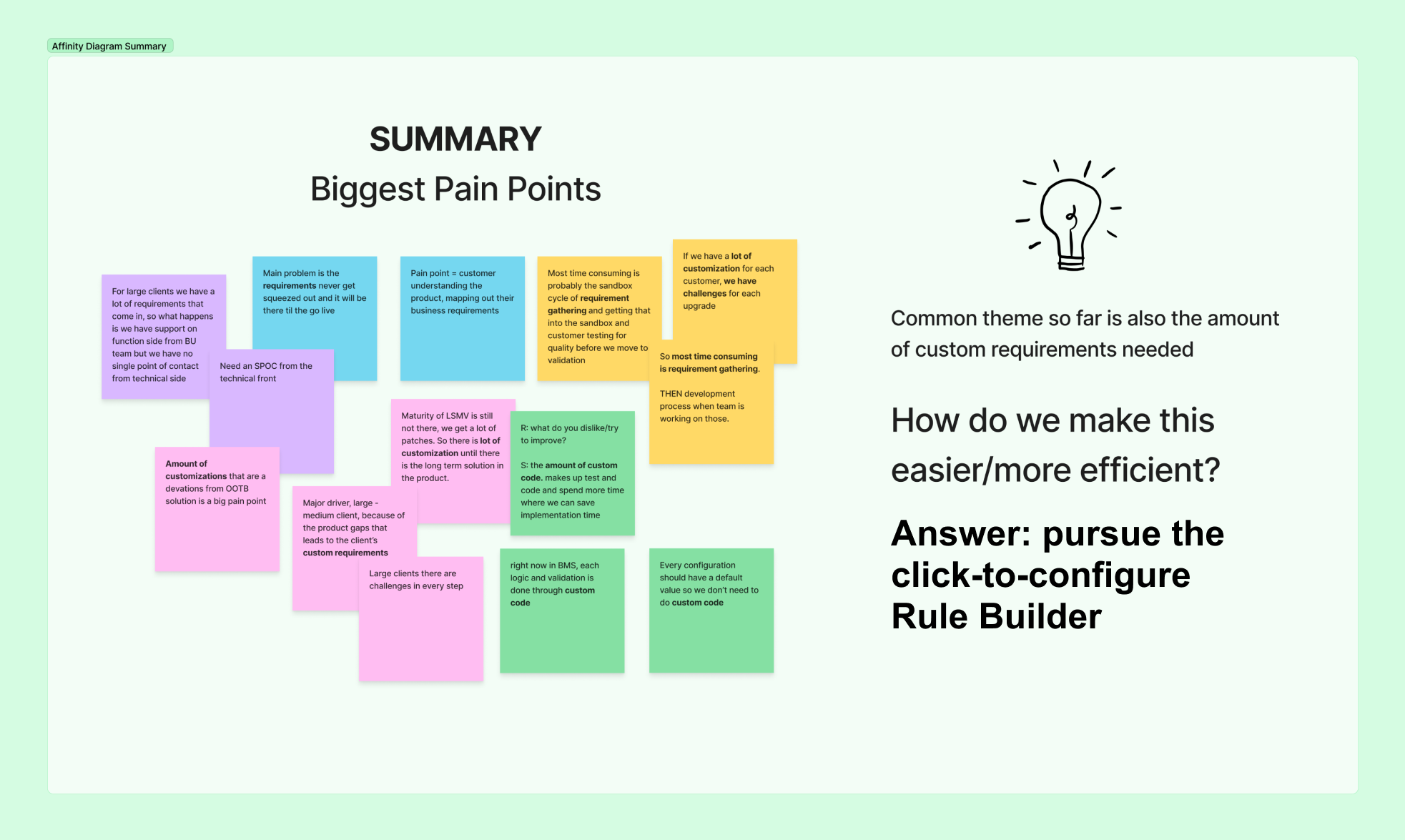
We started by interviewing five members of the customer services team. The most important thing we learned wasn't about process… it was about people. The services engineers ranged widely in technical skill level. Some were deeply proficient in Javascript. Others were not. It’s important to note though, that even the stronger engineers could find themselves in a broken scenario, not due to lack of skill level, but because of LSMV’s ever-growing, complicated code base.
These insights directly shaped our design direction: rather than building a code editor with guardrails, we built a structured interface that made it much easier to product valid rules regardless of skill level or environment compatibility.
Designing the Rule Builder
The core challenge was translating a code-level concept of "write a JavaScript rule" into something a less technical services engineer (or in the future, a customer admin) could reliably produce without breaking anything.
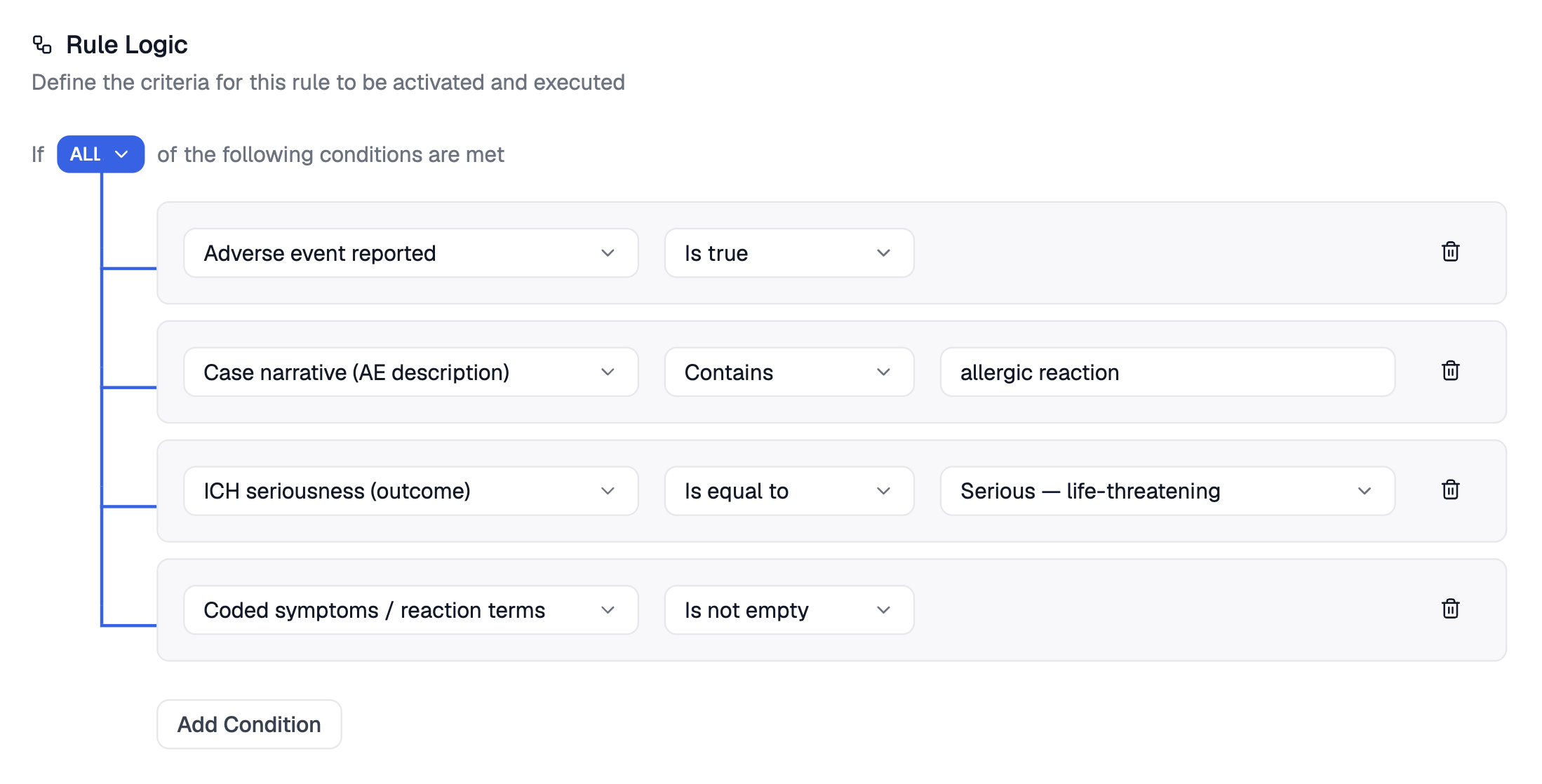
A rule in the LSMV Admin App follows a clear structure: name it, describe it, define which LSMV forms it applies to, then build the logic. That logic follows an if/then pattern:
If [ANY / ALL] of these conditions are met → Then execute this behavior.
The condition builder is form-based but structured. Each condition row is a three-part chain: a field selector (drawn from LSMV's case data), an operator (contains, equals, is blank, is true, etc.), and a value input that adapts based on the field and operator selected. For example, choosing "Is true" for a field eliminates the value input entirely—there's nothing to enter. Choosing "Contains" opens a free-text input. The form responds to the user's choices, trimming away anything irrelevant.
Conditions stack vertically with a visual bracket connecting them to the ALL/ANY toggle — making the logical grouping legible at a glance without requiring any code literacy. Operators were carefully scoped to only what LSMV's data model could actually support, which also served as a guardrail: services engineers couldn't accidentally construct a condition the system couldn't evaluate.
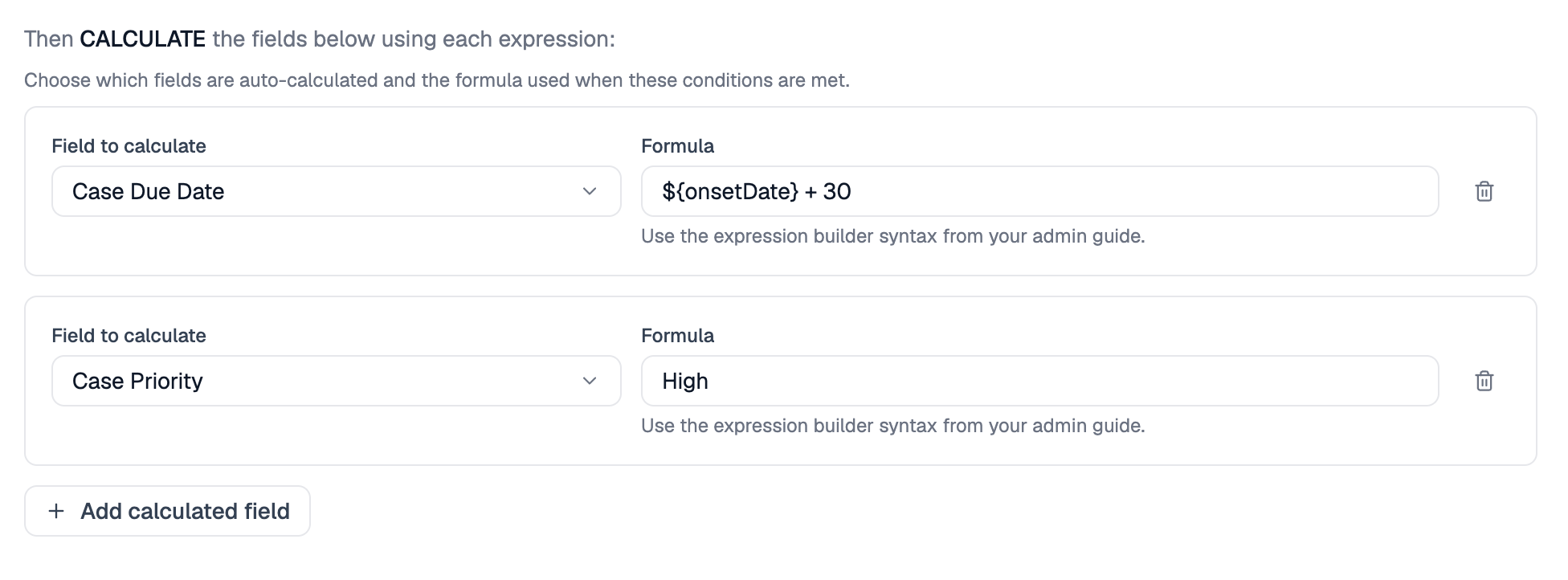
The "Then" side specifies the action. Various configurable actions are loaded into the form depending on what the selected rule type is. For example:
- “Distribution” rules send a case to a defined recipient queue if conditions are met
- Auto-calculation rules automatically populate a field based on what other fields contain
- Validation rules can be used as custom error-validation flags
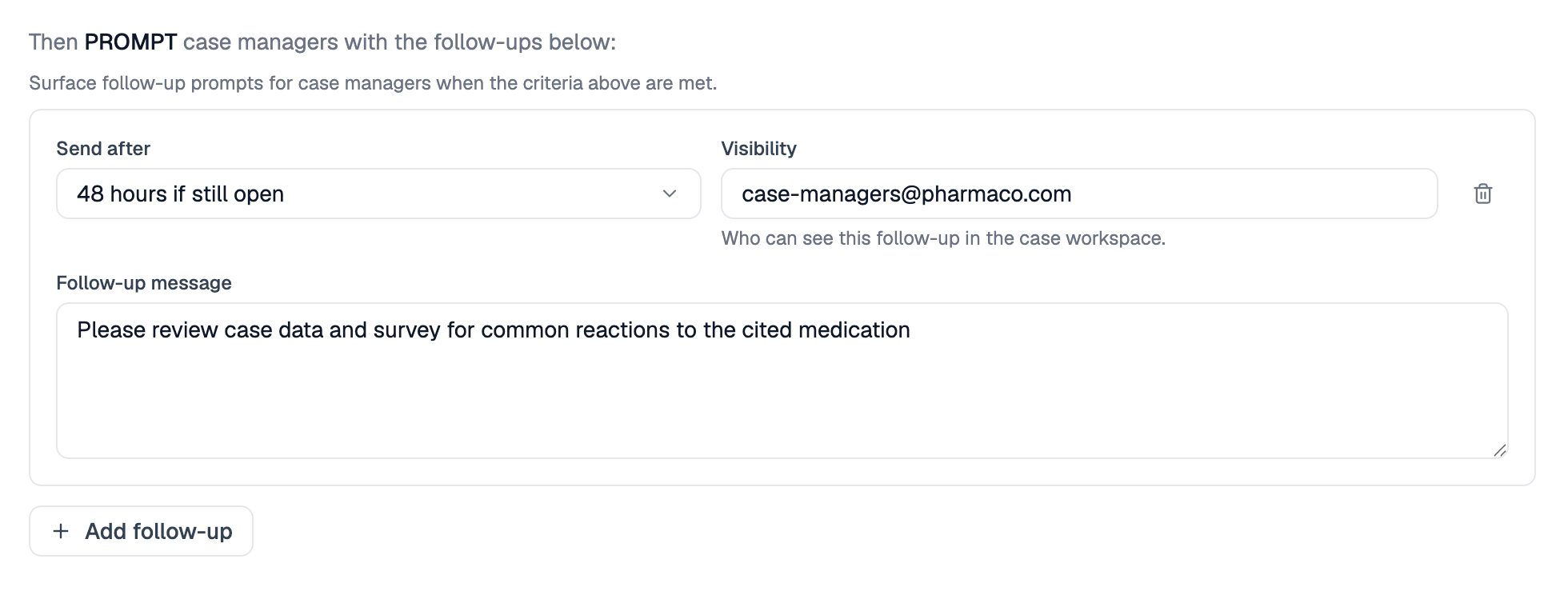
- Follow-up rules automatically prompt for additional information when conditions are met
For each of the above, the UI will change to meet that specific rule’s action. But the condition building experience would be uniform throughout.
The hardest design problems were the ones that didn't make it into v1: nested condition sub-groups, else/if branching, and additional rule types. We made a deliberate call to ship what was solid rather than delay to ship everything. The scope wasn't fixed; the date was.
Shipped and Expanding
The LSMV Admin App launched with the Rule Builder as its central module. Distribution, auto-calculation, validation, and follow-up rules shipped first. Additional rule types, as well as extended query building capabilities, followed in subsequent releases as the team continued to build out the framework.
The results were measurable. After launch, the services team estimated they were completing approximately 40% of customer configurations independently — up from 20% before. Their independent configuration completion rate doubled.
The longer-term plan: open the tool to customers directly, giving their own administrators the same configuration capability the services team now had. The Rule Builder was designed from the start with that audience in mind.